
Resin Printer Supports Failing? Causes and Fixes
Category: Troubleshooting
Resin printer supports failing is one of resin printing's more heartbreaking moments — finding your model sitting in the vat instead of on the build plate, the supports having held on just long enough to watch it happen and then quietly given up. I've had this happen on prints I was genuinely excited about, and almost every case of this specific resin printer troubleshooting scenario traces back to one of a handful of causes that are more fixable than they feel at 11pm when you discover it.
What's Actually Going Wrong?
Match your failure to the likely cause before changing settings blindly:
| Symptom | Likely Cause | Fix |
| Entire model detached, sitting loose in the vat | Weak supports, or overall adhesion too low | Increase support density and touchpoint size; increase bottom layer exposure |
| Some supports snapped, others held | Uneven support placement or thin support tips | Add supports at heavier overhangs; use medium tip size instead of fine |
| Model partly printed, then separated mid-print | Peel force exceeded support strength at that layer | Slow Z-lift speed; add support bridges connecting nearby supports |
| Supports printed fine, model didn't | Model too light or too enclosed, floating in resin | Add drain holes; hollow the model with adequate wall thickness |
| Print separates near the build plate specifically | Bottom layer exposure too low, or plate not level | Increase bottom exposure time; re-level the build plate |
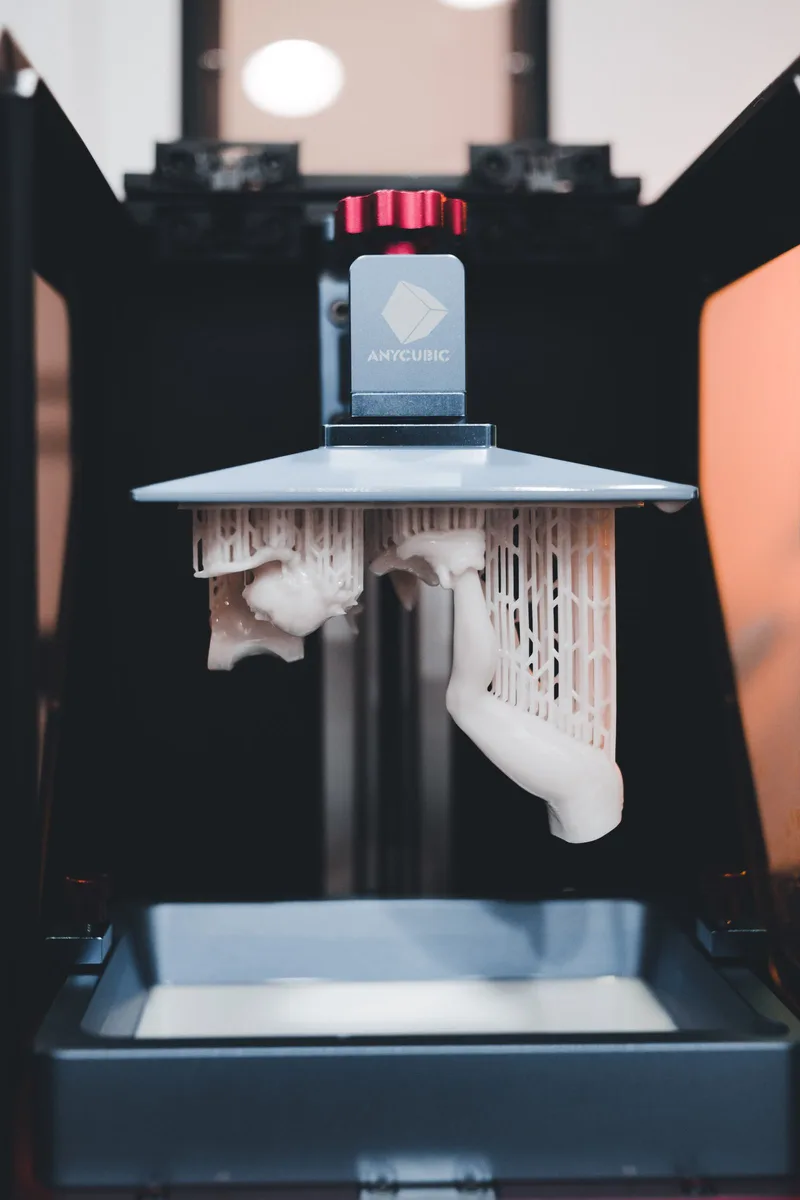
Fix 1: Resin Printer Support Settings and Placement
More supports isn't always better — poorly placed supports fail just as often as too few, the resin-printing equivalent of showing up with twelve friends to help you move a couch none of them can actually lift together. Concentrate extra support density at heavy overhangs and the model's center of mass, not evenly scattered across the whole surface. Support bridges (small connecting struts between adjacent supports) add real structural strength for a tiny amount of extra resin and print time, and they're underused relative to how much they help.
Fix 2: Exposure and Lift Speed
Increase bottom layer exposure time first — this is what actually anchors your print to the build plate, and it's the single most common thing that's set too low out of the box for larger or heavier models. Beyond that, slow your Z-axis lift speed to around 60mm/min (1mm/s). Faster lift speeds create more peel force as the FEP film releases from each cured layer, and that peel force is exactly what snaps thin supports — like ripping off a bandage instead of easing it, except the bandage is holding your entire model together. It costs you print time; it's worth it.
Fix 3: FEP Film and Environment
A worn, cloudy, or improperly tensioned FEP film increases the suction force needed to release each layer, which translates directly into more stress on your supports. Clean it and filter your resin between prints, and replace the film if it's visibly scratched or cloudy — it's a consumable, not a permanent part. Keep your printing environment between 22–30C; cold resin cures less predictably and can weaken the very first layers that everything else depends on.
How to Salvage a Partially Failed Print
If a print separates partway through rather than failing completely, don't assume it's a total loss. If the detached piece and the still-attached piece both have clean, flat mating surfaces, a small amount of fresh resin applied at the seam and cured under direct sunlight or a UV flashlight can bond them back together — not invisibly, but often well enough for functional parts or anything that won't be under close visual inspection. Worth trying before you write off a multi-hour print entirely.
FAQ
Should I add more supports or make existing ones thicker?
Thicker and better-placed supports usually beat simply adding more. Concentrate density at heavy overhangs and the model's center of mass rather than scattering supports evenly.
Why did my print separate right near the build plate?
Almost always insufficient bottom layer exposure or a build plate that isn't quite level. Increase bottom exposure time first, then re-level if the problem persists.
Does Z-lift speed actually matter that much for support failures?
Yes — a faster lift speed increases the peel force on every single layer as the FEP film releases, and that repeated stress is what eventually snaps thin or borderline supports. Slowing it down is one of the highest-value, lowest-effort fixes available.
Can I reuse a failed print's supports, or should I start over?
Start over on the support structure itself, but the model orientation and general layout are usually still valid — the failure tells you where to reinforce, not that the whole approach was wrong.
Amazon Affiliate Picks
If nothing is curing at all rather than just failing at the supports, our resin printer not curing guide covers that separately, and our 3D printers hub has the resin printers we recommend if you're shopping for a replacement.