
Bambu Lab A1 Mini Review: Is It Worth It?
Category: 3D Printing
Every Bambu Lab A1 Mini review I read before buying one used the word "quiet" like it was a legally binding claim, and not one of them actually measured it — which is a bit like reviewing a restaurant entirely on vibes and never mentioning what the food tasted like. I've had mine running for months now, through enough prints to stop counting, so here's the version with the numbers everyone else left out.
The Short Version
It's genuinely one of the best beginner 3D printers you can buy right now. Setup takes about 20 minutes, first prints come out clean more often than not, and the parts I'm least happy with are ones where I made a slicing mistake — which is either a compliment to the printer or a confession about my Tuesday-night settings, take your pick. It is not, however, the appliance-level "never think about it again" machine some reviews imply — it's just a very good printer that asks less of you than most.
Setup: 20 Minutes, Genuinely
At around $219, the Bambu Lab A1 Mini price sits in the same range as most budget FDM printers, and the setup experience is where it starts justifying that number. This part of every other review is accurate, so I won't oversell a correction here: unbox it, pull a few shipping screws, clip on the filament holder, plug it in, and it runs its own calibration sequence — bed mesh, vibration compensation, flow rate — without you touching a settings menu. My first print (the included cat-boat model) came out clean on the first attempt, which after years of tuning other printers felt almost suspicious.
Print Quality After Months of Actual Use
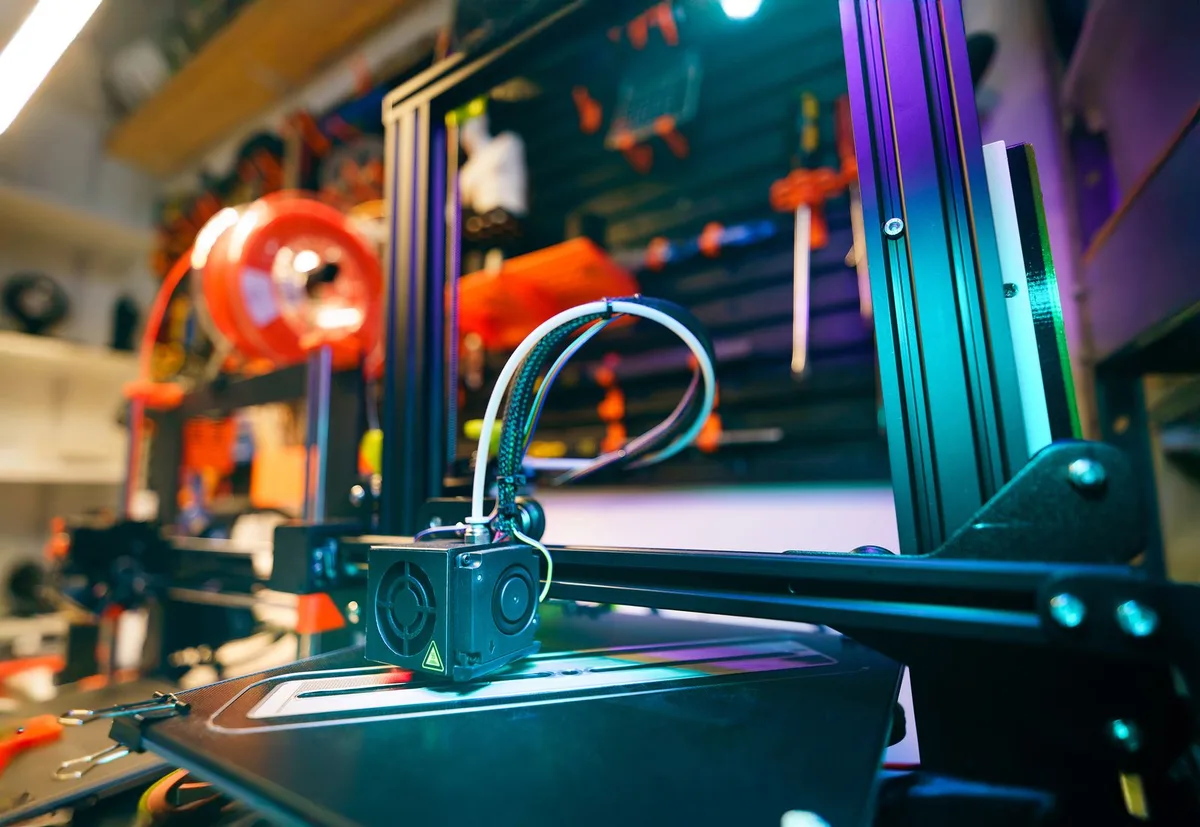
This is the part first-impressions reviews can't tell you: it holds up. Calibration hasn't drifted in any way I've had to chase down, the nozzle hasn't needed replacing, and prints today look about as clean as they did in week one. The textured steel plate still releases prints without a fight, though it has picked up the expected light scuffing from months of use — cosmetic, not functional.
Where it's genuinely impressive is consistency. I don't re-level, I don't re-calibrate flow, I just load filament and print — which is a real, measurable difference from every Bowden-based printer I've owned before it.
Noise: The Number Nobody Else Measures
Bambu's own marketing claims roughly 48dB, and in day-to-day use that tracks — it's noticeably quieter than a typical budget FDM printer, closer to a running laptop fan than the whirring-drone sound most machines make. I don't own a calibrated sound meter, so I won't pretend to give you a more precise number than Bambu's own spec, but I can tell you it's the first printer I've owned that I'll happily run overnight in a room with the door open. That's the honest, useful version of "quiet" — not just an adjective repeated across ten review sites.
Bambu Lab AMS Lite: What It Actually Costs
Nearly every review mentions the AMS Lite is "optional" and "more accessible" without ever printing an actual number, which is a strange thing to omit from a buying decision — like reviewing a car and describing the sunroof as "attainable." Budget roughly $150–200 on top of the printer itself for the AMS Lite add-on, depending on current bundle pricing. It's a genuinely fun feature once you're already comfortable with single-color printing — I'd still tell you to skip it for your first few months and add it once you know you'll actually use multi-color regularly, rather than buying it on day-one excitement.
What's Actually Annoying About It
No printer is flawless, and reviews that only list pros aren't reviews, they're ads. The real annoyances, in order of how often they bother me:
- Build volume is genuinely small. 180x180x180mm is fine for most functional parts and minis, but I've had to split larger models into pieces more than I expected going in — the printer is living its best life, the models are the ones making sacrifices.
- You're somewhat locked into Bambu's software ecosystem. Bambu Studio is good, but if you're attached to a specific PrusaSlicer or OrcaSlicer workflow, expect some adjustment.
- The screen is small and not touch-enabled, which feels like an odd omission at this price point when far cheaper printers have touchscreens.
Who Should Buy This
If you want a hobby without becoming a mechanic, this is close to the easiest entry point available right now. If you specifically need a larger build volume, or you want full control over every slicer setting without any ecosystem nudging, the Ender 3 V3 SE is the more honest comparison to look at before buying.
FAQ
Is the Bambu Lab A1 Mini worth it in 2026?
Yes, for most beginners. It remains one of the most reliable out-of-box experiences in budget 3D printing, with the main tradeoffs being build volume and Bambu's software ecosystem rather than anything about print quality.
How loud is the Bambu Lab A1 Mini really?
Bambu rates it around 48dB. In practice it's noticeably quieter than typical budget FDM printers — comfortable to run in a room with the door open, though not silent.
Do I need the AMS Lite to get good use out of the A1 Mini?
No. Budget $150–200 for it if you want multi-color later, but single-color printing is where you should spend your first few months regardless of which printer you buy.
How has print quality held up after months of use?
Consistent, with no drift in calibration or flow that I've had to chase down. The build plate shows light cosmetic scuffing but hasn't affected adhesion or print quality.
What are the full Bambu Lab A1 Mini specs?
180x180x180mm build volume, direct drive extruder with a nozzle rated to 300C, auto bed leveling with vibration compensation, WiFi connectivity, and a 2.4" non-touch display. See our full comparison with the Ender 3 V3 SE for every spec side by side.
Amazon Affiliate Picks
Deciding between this and the Ender 3 V3 SE? Our head-to-head comparison covers exactly that, and our 3D printers hub has the full lineup we recommend if neither is quite right.
Top 3D Printers to Consider

Bambu Lab A1 Mini 3D Printer
The Bambu Lab A1 Mini is the best beginner 3D printer available today. It self-calibrates, auto-leve…

Elegoo Neptune 4 Pro 3D Printer
The Elegoo Neptune 4 Pro delivers Bambu-level speed and ease of use at nearly half the price. Auto l…

Creality Ender 3 V3 SE 3D Printer
The Creality Ender 3 V3 SE is the most popular entry-level 3D printer in the world. Auto-leveling, a…

Prusa MK4 3D Printer
The Prusa MK4 is the most reliable and thoroughly engineered FDM 3D printer available. It self-calib…